
Everything your maintenance team runs on
One system, every feature included. Works in any web browser on a PC, tablet or phone.
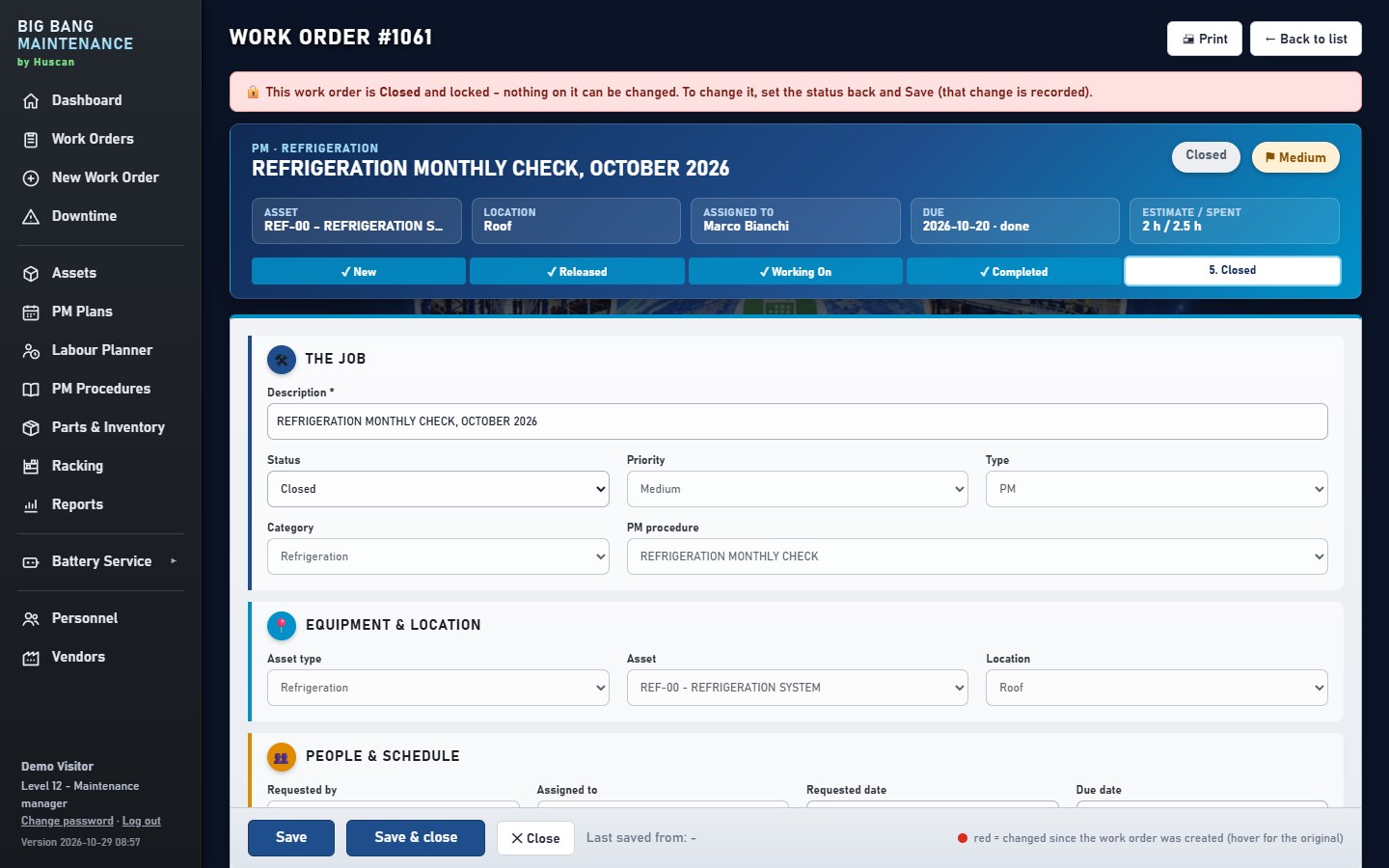
From "it's broken" to "it's fixed", on record
Anyone can raise a downtime ticket. Techs see their work, log labour and parts, and close it out with notes.
- Priority and status at a glance: new, released, working on, on hold
- Labour, parts, notes and photos on every job
- Downtime tickets with response and repair time (MTTR)
- Printable work orders for the clipboard crowd
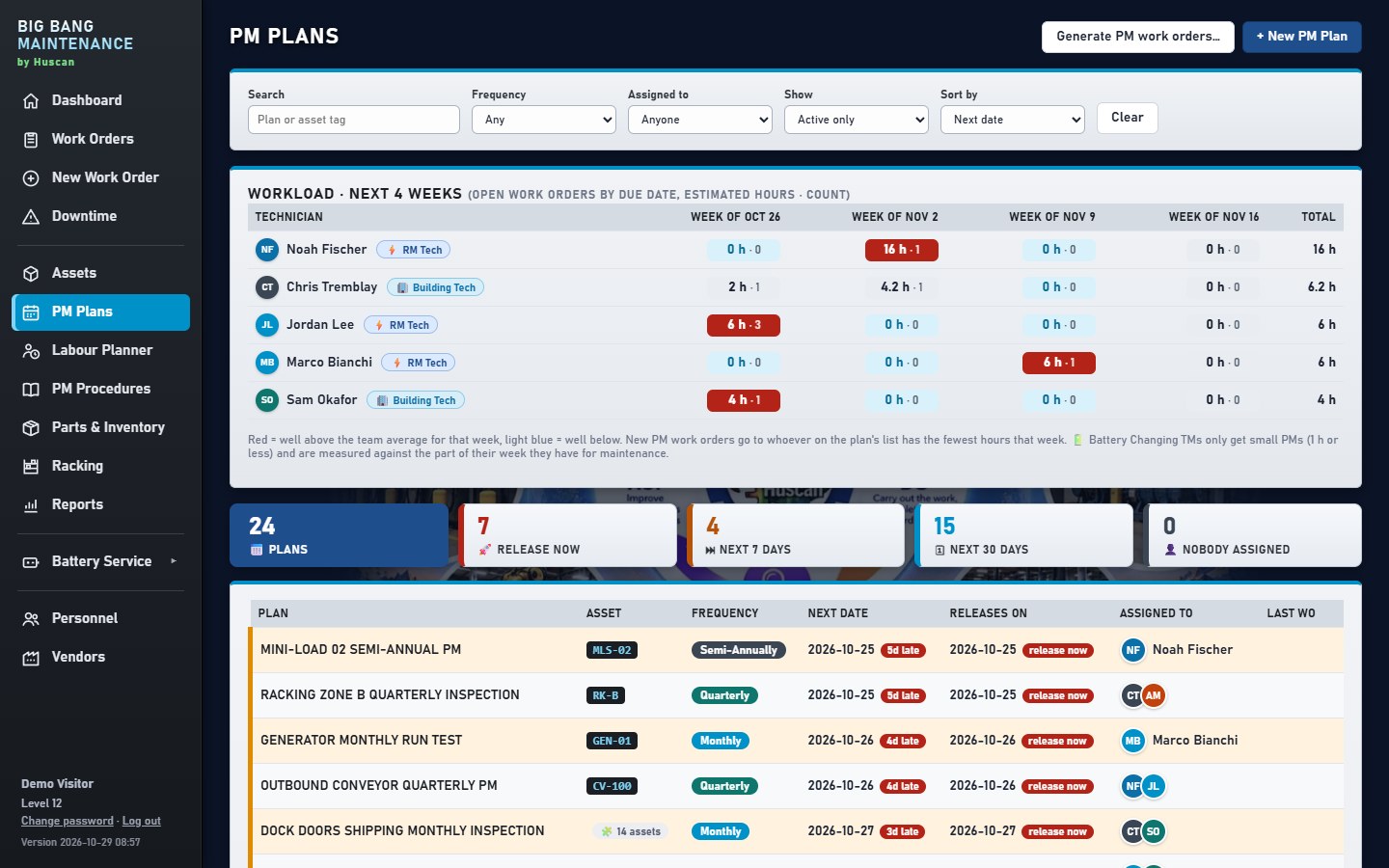
PMs that schedule themselves
Set up a PM once with its tasks and frequency. Work orders are created on time, and the planner puts them where the equipment is free.
- PM plans and routes: weekly, monthly, quarterly or by hours
- PM procedures: step lists your techs tick off
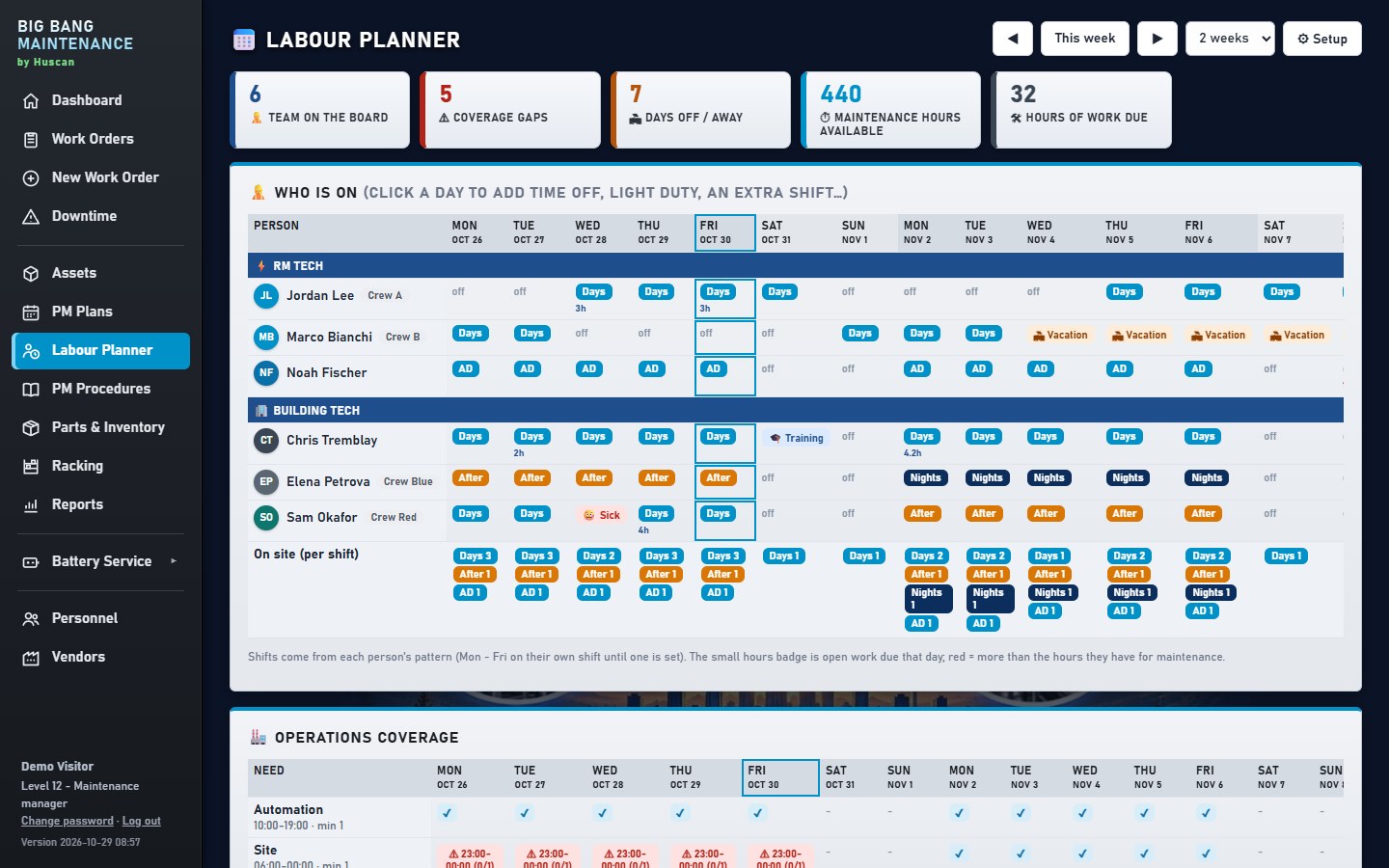
- Labour planner: who is in, run times and maintenance windows
- PM compliance on the dashboard, with grace windows
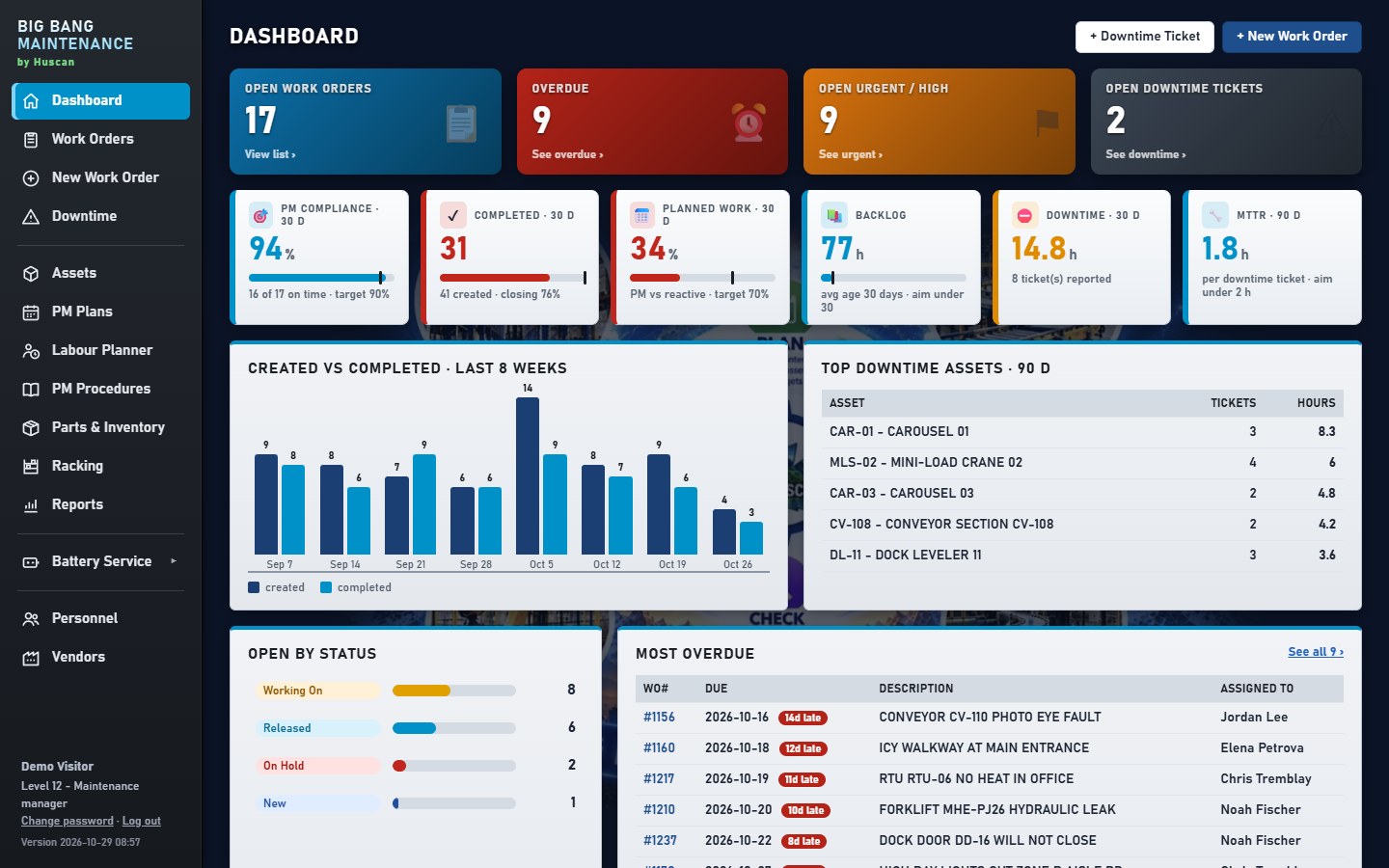
Know every machine and every spare
Assets as systems and parts, with their history, open work and downtime. Spare parts with stock levels and bins.
- Asset tree: systems, sub-assemblies and parts
- Parts & inventory with bins, vendors and usage
- LOTO placards & work instructions attached to each asset
- Dashboards: open work, backlog hours, top downtime assets
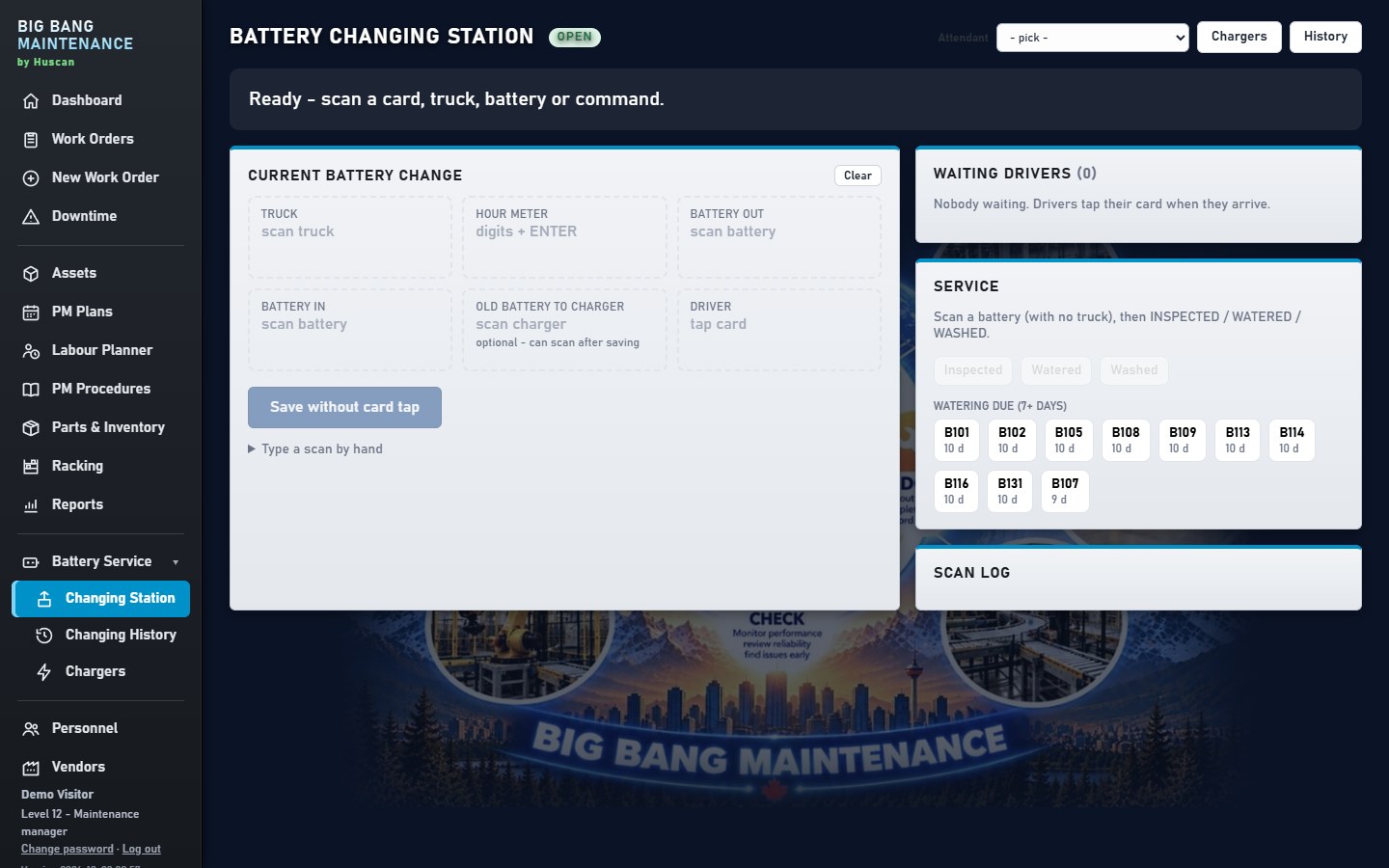
Scan the truck. Scan the battery. Done.
A screen in the battery room with a USB barcode scanner. Drivers scan their badge, the truck and the battery, and every change is logged with no typing.
- Works with standard USB scanners and badge readers
- Battery change history per truck and per battery
- Charger and battery service tracked like any asset
Plan the week in one view
See who is working, what's scheduled and when the automation is running, so maintenance windows are used, not wasted.
- Run times for automation and production lines
- Maintenance windows that PMs drop into
- People and shifts with their skills
Live in days, not months
Demo
30 minutes online, built around your site.
Your data
Send us your asset list and PMs in Excel. We load them.
Set-up
Users, layout, racking aisles and battery room.
Go live
Your team logs in from any screen. We stay on call.